WiFi Device Name Checker
Paste the device names from your router or network scan — one per line — and flag anything matching known camera brands and IP-camera firmware patterns. Everything runs in your browser; nothing is uploaded.
To identify an unknown device on your WiFi, compare its name and manufacturer against known camera brands (Wyze, Hikvision, Dahua, Reolink, EZVIZ, Arlo, Blink…) and generic IP-camera patterns like "IPC", "IPCAM", "ESP32-CAM", "V380", or "Yoosee" — then match every flagged name to a device you can physically see.
What the checker looks for
The pattern list covers the camera brands and firmware identifiers that show up most in real network scans:
- wyze — Wyze (consumer camera brand)
- hikvision — Hikvision (IP camera manufacturer)
- dahua — Dahua (IP camera manufacturer)
- reolink — Reolink (camera brand)
- ezviz — EZVIZ (camera brand)
- tapo — TP-Link Tapo (cameras & smart plugs)
- kasa cam — TP-Link Kasa Cam
- ring — Ring (doorbell/security cameras)
- nest cam — Google Nest Cam
- arlo — Arlo (security cameras)
- blink — Blink (Amazon security cameras)
- eufy — Eufy (security cameras)
- …and 17 more patterns (generic "IP Camera", DVR/NVR recorders, DIY camera modules).
Flagged something? Next steps
- Match names to visible hardware. The TV, the router, your own phone — account for everything you can see.
- Investigate what's left. Anything you can't account for gets the close-range checks: magnetometer sweep and lens-reflection test.
- In a rental, check the rules. Airbnb bans all indoor cameras — see what to do if you find one.
Frequently asked questions
Where do I get the list of devices on my WiFi?
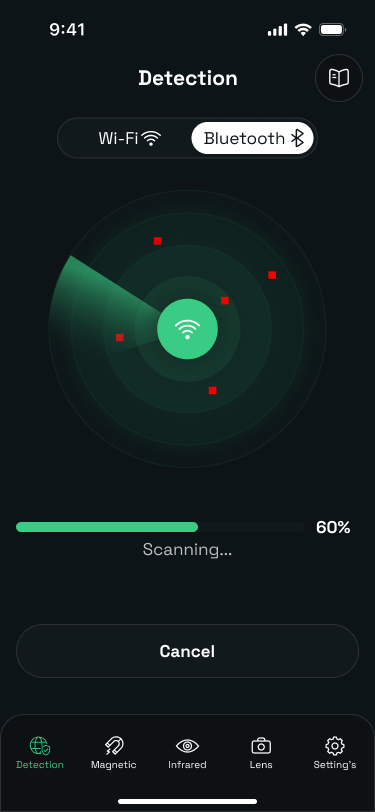
Either from your router’s admin page (usually a "connected devices" or "DHCP clients" list) or from a network scanner app — the Camera Detector Ultra app lists every device on the network you’ve joined. Copy the names and paste them here, one per line.
A device matched a camera brand — is it definitely a spy camera?
No. A match means the name resembles a known camera brand or IP-camera pattern, which in a home often just means a doorbell or a legitimately installed security camera. In a rental, match every flagged name to a visible device — anything you can’t account for deserves a physical look.
No matches — does that mean there are no cameras?
No. Cameras can use generic or random device names, hide on a separate network, use cellular, or record offline to a memory card. A clean list is one good sign, not a verdict — finish with the magnetometer, infrared, and physical checks.
Is my device list uploaded anywhere?
No. The check runs entirely in your browser with a built-in pattern list. Nothing you paste leaves your device.
Check your room before you unpack
Camera Detector Ultra combines a WiFi network scanner, magnetometer sweep, and infrared lens detection — the three checks that catch most consumer spy cameras. Run your first sweep in minutes.