How to Detect Hidden Cameras With Your iPhone
Your iPhone already has the sensors of a basic camera detector: WiFi, a magnetometer, a flashlight, and a camera that sees infrared. How to use each one properly — and where each falls short.
You can detect many hidden cameras with an unmodified iPhone by combining four built-in capabilities: scan the room's WiFi network for unfamiliar devices, sweep close surfaces with the magnetometer to sense powered electronics, use the front camera in a dark room to spot infrared night-vision LEDs, and shine the flashlight at eye level to catch lens reflections. No single check is conclusive — run all four.
| Check | What it finds | What it misses |
|---|---|---|
| WiFi network scan | Cameras streaming over the room's network | Offline, cellular, or hidden-network cameras |
| Magnetometer sweep | Powered electronics behind surfaces (close range) | Devices more than a few cm away; well-shielded hardware |
| Front camera (IR) | Night-vision IR LEDs glowing in the dark | Cameras without IR, or with IR off in daylight |
| Flashlight reflection | Any lens with line of sight, even unpowered | Lenses hidden behind dark tinted covers, wrong angles |
1. Scan the WiFi network
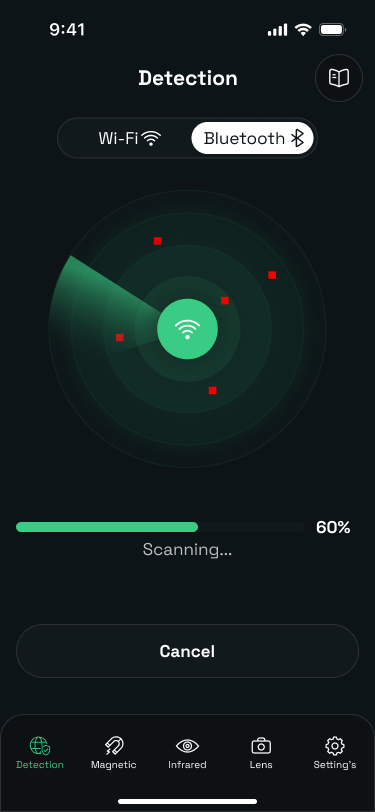
Most consumer spy cameras stream video over the local WiFi network — that's their selling point, and their weakness. Join the room's network and run a network scan. You'll get a list of every connected device with its name and manufacturer where available.
What to look for:
- Device names you can't match to visible hardware — you can see the TV and the router; what's the third device?
- Generic or camera-adjacent identifiers — names containing "IPC", "cam", model-number strings, or no name at all.
- Camera-brand manufacturers on devices that don't look like cameras.
A clean scan does not mean a clean room: a camera recording to a memory card, or one using its own hidden network, is invisible here. Treat the WiFi scan as the fast first pass, not the verdict.
2. Sweep with the magnetometer
The iPhone's magnetometer (the compass sensor) reads the local magnetic field. Powered electronics distort that field slightly, so a sudden spike while you slowly trace a wall, fixture, or object suggests something electronic inside.
Technique matters:
- Move slowly — a few seconds per object — and keep the phone within a few centimeters of the surface.
- Expect baseline noise near metal fixtures, mains wiring, and large appliances; you're looking for spikes where no electronics should be (a picture frame, a tissue box, decor).
- Re-test any spike from a different angle to rule out a fluke reading.
3. Use the front camera to see infrared
Hidden cameras that record in the dark use infrared LEDs, invisible to your eyes but not to your iPhone's front camera, which has a weaker IR filter than the rear one. Make the room as dark as possible, open the camera in selfie mode, and pan slowly around the room watching the screen for a white-purple glow.
Verify the trick works first: point a TV remote at your front camera and press any button — you should see the LED flash on screen.
4. Catch lens reflections with the flashlight
Every camera needs a lens, and lenses reflect light back toward its source. In a darkened room, hold the flashlight at eye level and scan surfaces slowly. A camera lens shows as a small, bright pinpoint that stays fixed on the object as you shift position — unlike broad reflections off glass or gloss paint. This is the one check that works even on a camera that is switched off.
Putting it together
Run the checks in this order — network scan while you unpack, then magnetometer, then the two optical checks after dark — and finish with a hands-on look at the common hiding spots. Camera Detector Ultra bundles the WiFi scan, magnetometer sweep, and infrared detection into one guided flow so you don't have to juggle three separate tools.
Wondering whether apps like this are worth it at all? We wrote an honest answer: do hidden camera detector apps actually work?