How to Find Hidden Cameras in an Airbnb
A 7-step room check to run before you unpack: where hidden cameras hide in vacation rentals, how to sweep with your phone, and exactly what to do if you find one.
To find hidden cameras in an Airbnb, check the listing's camera disclosure, then run a 15-minute layered sweep: scan the WiFi network for unfamiliar devices, sweep suspicious objects with your phone's magnetometer, darken the room and look for lens reflections, and finish with a hands-on inspection of smoke detectors, clocks, chargers, and anything pointed at the bed or bathroom.
| Time needed | 10–15 minutes for a typical rental |
| Tools | Your iPhone (WiFi scan, magnetometer, flashlight/IR) |
| Cost | Free |
| Airbnb rule | Indoor cameras banned entirely (policy effective April 2024) |
| If you find one | Don't touch it → document → police → report to Airbnb |
Why sweep at all?
Hidden cameras in rentals are rare — but they are cheap, tiny, and sold openly disguised as chargers, clocks, and smoke detectors. Airbnb's policy is unambiguous: no indoor security cameras, period, disclosed or not. Anything you find indoors is a violation by definition, which makes the check simple: you're not judging intent, just looking for hardware.
The 7-step room check
- Read the listing disclosure first. Airbnb bans all indoor security cameras. Outdoor cameras and noise monitors must be disclosed in the listing. Re-read the listing so you know what is officially there before you sweep.
- Do a line-of-sight survey. Stand where you are most exposed — the bed and the bathroom — and note every object with a view of that spot. Anything with a clear sight line to private areas is a priority to inspect.
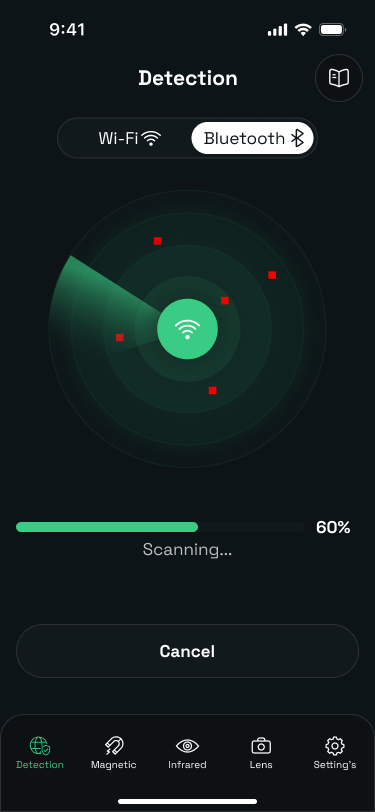
- Scan the WiFi network. Join the rental WiFi and run a network scan. Review every connected device and flag names you cannot match to visible hardware, such as generic IP-camera identifiers.
- Sweep suspicious objects with the magnetometer. Move your phone slowly a few centimeters from smoke detectors, clocks, chargers, and decor. Sudden magnetic-field spikes indicate concealed electronics worth a closer look.
- Darken the room and look for lens reflections. Turn off the lights, close the curtains, and scan surfaces with the infrared detector or a flashlight held at eye level. Camera lenses reflect as a small bright pinpoint that stays fixed as you move.
- Physically inspect the top hiding spots. Check smoke detectors, alarm clocks, USB chargers, routers, air purifiers, picture frames, and outlets by hand. Look for pinholes, extra wires, or hardware that does not match its function.
- Document and report anything you find. Do not touch or unplug a device you find. Photograph it, move out of its view, contact local police, then report the listing to Airbnb support.
The spots that hide most cameras
Consumer spy cameras ship in a handful of standard disguises. Prioritize these — they cover the vast majority of real-world finds:
- Smoke detectors and ceiling fixtures
- Alarm clocks and clock radios
- USB chargers, power adapters, and power strips
- WiFi routers and set-top boxes
- Air purifiers and speakers
- Picture frames, mirrors, and shelf decor
- Wall outlets and light switches
- Anything with a clear line of sight to beds or bathrooms
The unifying rule: a camera needs a clear view of what it films. Objects facing walls or inside drawers are low priority; anything oriented toward the bed, shower, or changing area gets inspected first.
Using your phone for each check
Every step above runs on the phone you already carry. The iPhone detection guide covers the technique for each sensor in detail — how close to hold the magnetometer, how to angle the flashlight for reflections, and what a suspicious device list actually looks like. An app like Camera Detector Ultra packages the three checks into one guided sweep.
Found something? Do this, in order
- Don't touch it. The device and its placement are evidence.
- Get out of its view and cover yourself — move to another room or hang a towel in front of it (touching fabric, not the device).
- Document: photos and video of the device, its position, and the room.
- Call the local police non-emergency line. Recording guests in private spaces is a crime in most jurisdictions.
- Report to Airbnb via the Safety Center in the app. Under its guest-safety policy you can typically get rebooked or refunded.
- Don't confront the host — let the platform and police handle it.
Sources
- Airbnb Help Center — "Security cameras and recording devices" (indoor camera ban, disclosure rules)
- Airbnb — reporting a safety concern